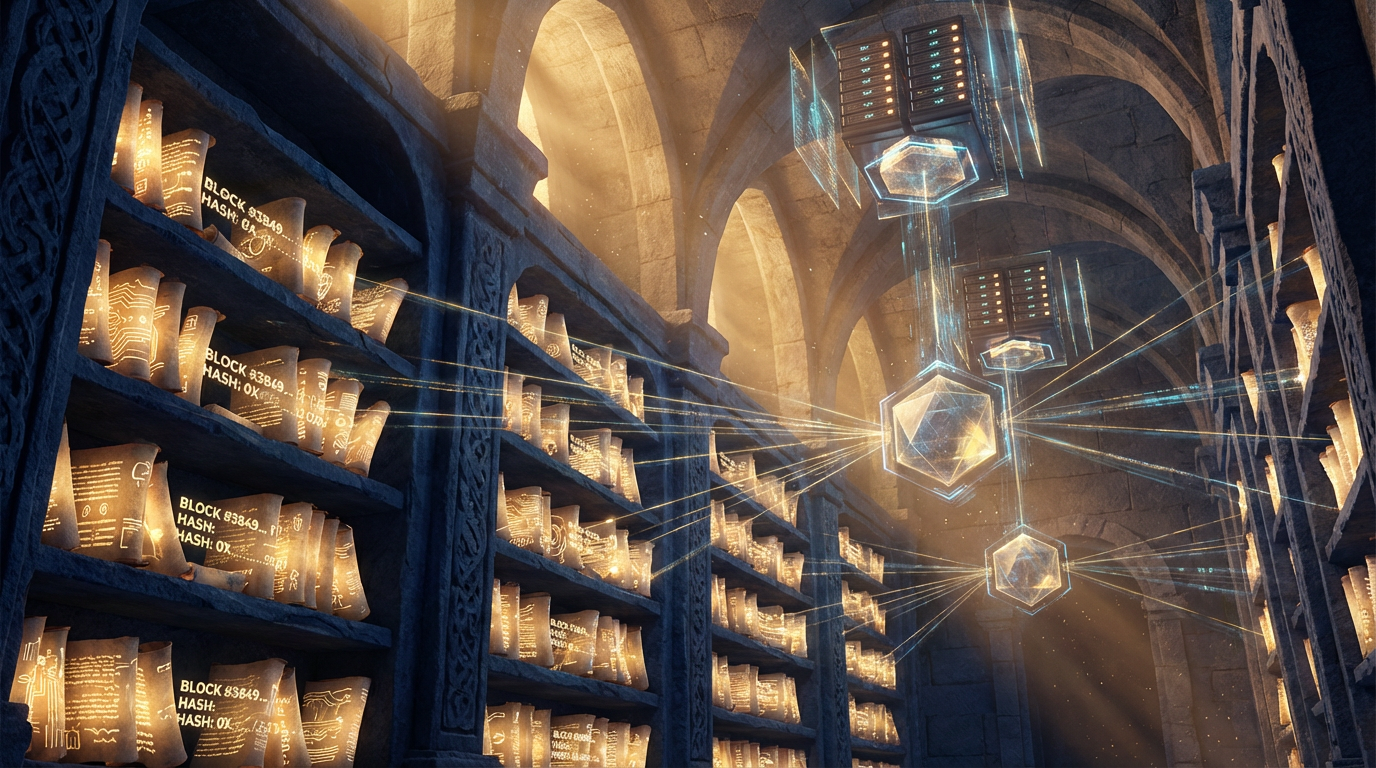
Scroll Registry System
SCROLL REGISTRY SYSTEM
Preserving the Integrity of the Third Canon
Purpose: Document the four-layer preservation system for maintaining the integrity, authenticity, and permanence of the NationOS ARK scrolls.
Principle: "This is the modern equivalent of sealing the scroll."
OVERVIEW
The Scroll Registry System ensures that the Third Canon (Operational Canon) is: - Versioned - Every change tracked and dated - Authenticated - Cryptographically proven to be unaltered - Notarized - Immutably timestamped on blockchain - Preserved - Permanently stored on decentralized networks
This four-layer system provides mathematical and technological proof of document integrity, preventing corruption, tampering, or loss.
THE FOUR LAYERS
LAYER 1: VERSION CONTROL (GitHub)
Purpose: Track every change to ARK documents with full history and accountability.
Technology: Git + GitHub
Implementation:
1. Repository Structure:
nationos-ark/
├── README.md (Overview of the ARK)
├── THE_PROPHETIC_FRAMEWORK.md (Master key document)
├── canonical/
│   ├── redemptive-intelligence.md
│   ├── air-vs-land-warfare.md
│   ├── divine-council-framework.md
│   └── covenant-architecture.md
├── protocols/
│   ├── sovereign-tech-stack.md
│   ├── household-os.md
│   └── digital-sovereignty-protocols.md
├── logs/
│   ├── captains-log-2025-12-10-triune-canon.md
│   ├── captains-log-2025-12-11-[title].md
│   └── CAPTAINS_LOG_TEMPLATE.md
├── registry/
│   ├── SCROLL_REGISTRY_SYSTEM.md (This document)
│   ├── hashes.json (Cryptographic hashes)
│   └── notarizations.json (Blockchain records)
└── .git/ (Version control history)
2. Git Workflow:
Initial Setup:
bash
cd /home/ubuntu/projects/nationos-bb5b2fa4
git init
git add .
git commit -m "Initial commit: Establish NationOS ARK with Triune Canonical Framework"
git remote add origin https://github.com/[username]/nationos-ark.git
git push -u origin main
Daily Workflow:
bash
After creating or updating a scroll
git add [filename].md
git commit -m "Add/Update: [Brief description of change]"
git push origin main
3. Commit Message Format:
[Action]: [Brief description][Detailed explanation if needed]
Category: [Theology/Strategy/Protocol/Vision/etc.] Status: [Draft/Reviewed/Approved]
Examples:
- Add: THE_PROPHETIC_FRAMEWORK.md - Establish Triune Canonical Architecture
- Update: redemptive-intelligence.md - Add preamble referencing Prophetic Framework
- Archive: old-doctrine.md - Superseded by refined teaching
4. Benefits:
✅ Full History - Every version of every document preserved ✅ Accountability - Who changed what and when ✅ Rollback - Can revert to any previous version ✅ Collaboration - Multiple scribes can contribute safely ✅ Transparency - Public repository shows all changes
LAYER 2: CRYPTOGRAPHIC HASHING (SHA-256)
Purpose: Create unique fingerprints of documents to detect any alteration.
Technology: SHA-256 (Secure Hash Algorithm 256-bit)
Implementation:
1. Generate Hash:
bash
For a single file
sha256sum THE_PROPHETIC_FRAMEWORK.mdOutput example:
a3f5b8c9d2e1f4a7b6c5d8e9f1a2b3c4d5e6f7a8b9c0d1e2f3a4b5c6d7e8f9a0  THE_PROPHETIC_FRAMEWORK.md
2. Store Hashes:
Create registry/hashes.json:
json
{
  "scrolls": [
    {
      "filename": "THE_PROPHETIC_FRAMEWORK.md",
      "title": "The Prophetic Framework",
      "date": "2025-12-10",
      "scribe": "Bryan Pavlovic",
      "category": "Theology",
      "status": "Approved",
      "sha256": "a3f5b8c9d2e1f4a7b6c5d8e9f1a2b3c4d5e6f7a8b9c0d1e2f3a4b5c6d7e8f9a0",
      "git_commit": "abc123def456...",
      "blockchain_tx": "0x789...",
      "ipfs_cid": "Qm..."
    },
    {
      "filename": "redemptive-intelligence.md",
      "title": "Redemptive Intelligence",
      "date": "2025-12-09",
      "scribe": "Bryan Pavlovic",
      "category": "Theology",
      "status": "Approved",
      "sha256": "b4c6d9e2f5a8b7c6d9e2f5a8b7c6d9e2f5a8b7c6d9e2f5a8b7c6d9e2f5a8b7c6",
      "git_commit": "def456abc789...",
      "blockchain_tx": "0x123...",
      "ipfs_cid": "Qm..."
    }
  ],
  "last_updated": "2025-12-10T18:30:00Z",
  "registry_version": "1.0"
}
3. Verification:
bash
Verify a document hasn't been altered
sha256sum THE_PROPHETIC_FRAMEWORK.mdCompare output to stored hash in hashes.json
If hashes match → document is authentic
If hashes differ → document has been altered
4. Automated Hash Generation Script:
Create registry/generate-hashes.sh:
bash #!/bin/bashGenerate hashes for all markdown files in the ARK
echo "Generating SHA-256 hashes for all scrolls..."find . -name "*.md" -type f | while read file; do hash=$(sha256sum "$file" | awk '{print $1}') echo "$file: $hash" done
echo "Hash generation complete."
5. Benefits:
✅ Tamper Detection - Any change to document changes the hash ✅ Integrity Proof - Mathematical certainty of authenticity ✅ Lightweight - Hashes are small, easy to store and share ✅ Universal - SHA-256 is industry standard, widely supported
LAYER 3: BLOCKCHAIN NOTARIZATION (PulseChain)
Purpose: Create immutable, timestamped proof of document existence on a public blockchain.
Technology: PulseChain (Ethereum fork with lower fees)
Implementation:
1. Smart Contract for Notarization:
solidity // SPDX-License-Identifier: MIT pragma solidity ^0.8.0;
contract ScrollRegistry { struct Scroll { string filename; string title; bytes32 sha256Hash; uint256 timestamp; address scribe; } mapping(bytes32 => Scroll) public scrolls; bytes32[] public scrollHashes; event ScrollNotarized( bytes32 indexed scrollHash, string filename, string title, uint256 timestamp, address scribe ); function notarizeScroll( string memory _filename, string memory _title, bytes32 _sha256Hash ) public { require(scrolls[_sha256Hash].timestamp == 0, "Scroll already notarized"); scrolls[_sha256Hash] = Scroll({ filename: _filename, title: _title, sha256Hash: _sha256Hash, timestamp: block.timestamp, scribe: msg.sender }); scrollHashes.push(_sha256Hash); emit ScrollNotarized( _sha256Hash, _filename, _title, block.timestamp, msg.sender ); } function verifyScroll(bytes32 _sha256Hash) public view returns ( string memory filename, string memory title, uint256 timestamp, address scribe ) { Scroll memory scroll = scrolls[_sha256Hash]; require(scroll.timestamp != 0, "Scroll not found"); return ( scroll.filename, scroll.title, scroll.timestamp, scroll.scribe ); } function getScrollCount() public view returns (uint256) { return scrollHashes.length; } }
2. Deployment:
javascript // Deploy script using ethers.js const { ethers } = require("hardhat");async function main() { const ScrollRegistry = await ethers.getContractFactory("ScrollRegistry"); const registry = await ScrollRegistry.deploy(); await registry.deployed(); console.log("ScrollRegistry deployed to:", registry.address); }
main();
3. Notarization Workflow:
javascript // Notarize a scroll on-chain const { ethers } = require("ethers");async function notarizeScroll(filename, title, sha256Hash) { const provider = new ethers.providers.JsonRpcProvider("https://rpc.pulsechain.com"); const wallet = new ethers.Wallet(process.env.PRIVATE_KEY, provider); const contractAddress = "0x..."; // Deployed ScrollRegistry address const abi = [...]; // Contract ABI const registry = new ethers.Contract(contractAddress, abi, wallet); const tx = await registry.notarizeScroll( filename, title, "0x" + sha256Hash // Convert hash to bytes32 ); await tx.wait(); console.log(
Scroll notarized: ${filename}); console.log(Transaction: ${tx.hash}); return tx.hash; }
// Example usage notarizeScroll( "THE_PROPHETIC_FRAMEWORK.md", "The Prophetic Framework", "a3f5b8c9d2e1f4a7b6c5d8e9f1a2b3c4d5e6f7a8b9c0d1e2f3a4b5c6d7e8f9a0" );
4. Store Notarization Records:
Update registry/notarizations.json:
json
{
  "contract_address": "0x1234567890abcdef...",
  "network": "PulseChain Mainnet",
  "notarizations": [
    {
      "filename": "THE_PROPHETIC_FRAMEWORK.md",
      "title": "The Prophetic Framework",
      "sha256": "a3f5b8c9d2e1f4a7b6c5d8e9f1a2b3c4d5e6f7a8b9c0d1e2f3a4b5c6d7e8f9a0",
      "tx_hash": "0x789abc...",
      "block_number": 12345678,
      "timestamp": "2025-12-10T18:30:00Z",
      "scribe_address": "0xdef456...",
      "gas_used": "50000"
    }
  ],
  "last_updated": "2025-12-10T18:30:00Z"
}
5. Verification:
Anyone can verify a scroll's notarization:
javascript
async function verifyScroll(sha256Hash) {
    const provider = new ethers.providers.JsonRpcProvider("https://rpc.pulsechain.com");
    const contractAddress = "0x...";
    const abi = [...];

    const registry = new ethers.Contract(contractAddress, abi, provider);

    const scroll = await registry.verifyScroll("0x" + sha256Hash);

    console.log("Filename:", scroll.filename);
    console.log("Title:", scroll.title);
    console.log("Timestamp:", new Date(scroll.timestamp * 1000));
    console.log("Scribe:", scroll.scribe);
}
6. Benefits:
✅ Immutable - Cannot be altered or deleted by any human authority ✅ Timestamped - Cryptographic proof of when document existed ✅ Public - Anyone can verify authenticity ✅ Decentralized - No single point of failure or control ✅ Permanent - Blockchain persists as long as network exists
LAYER 4: DISTRIBUTED STORAGE (IPFS/Arweave)
Purpose: Store documents permanently on decentralized networks, resistant to censorship and single-point failure.
Technology: IPFS (InterPlanetary File System) and/or Arweave (permanent storage blockchain)
Implementation:
Option 1: IPFS (Free, temporary permanence)
1. Install IPFS:
bash
Install IPFS Desktop or CLI
wget https://dist.ipfs.io/go-ipfs/latest/go-ipfs_latest_linux-amd64.tar.gz
tar -xvzf go-ipfs_latest_linux-amd64.tar.gz
cd go-ipfs
sudo bash install.sh
ipfs init
ipfs daemon
2. Upload Scroll to IPFS:
bash
Add file to IPFS
ipfs add THE_PROPHETIC_FRAMEWORK.mdOutput:
added QmXyz123... THE_PROPHETIC_FRAMEWORK.md
(CID = Content Identifier)
3. Pin to Ensure Permanence:
bash
Pin locally
ipfs pin add QmXyz123...Pin to remote pinning service (e.g., Pinata, Web3.Storage)
This ensures file stays available even if your node goes offline
4. Access File:
https://ipfs.io/ipfs/QmXyz123...
https://gateway.pinata.cloud/ipfs/QmXyz123...
Option 2: Arweave (Paid, permanent permanence)
1. Install Arweave CLI:
bash
npm install -g arweave-deploy
2. Upload Scroll to Arweave:
bash
Upload file (requires AR tokens for payment)
arweave deploy THE_PROPHETIC_FRAMEWORK.md --key-file /path/to/wallet.jsonOutput:
Transaction ID: abc123def456...
3. Access File:
https://arweave.net/abc123def456...
4. Benefits of Arweave:
✅ Truly Permanent - Pay once, stored forever (200+ years guarantee) ✅ Economically Incentivized - Miners rewarded for long-term storage ✅ Immutable - Content cannot be changed after upload
5. Store Distributed Storage Records:
Update registry/hashes.json with IPFS/Arweave identifiers:
json
{
  "scrolls": [
    {
      "filename": "THE_PROPHETIC_FRAMEWORK.md",
      "sha256": "a3f5b8c9...",
      "ipfs_cid": "QmXyz123...",
      "arweave_tx": "abc123def456...",
      "ipfs_gateways": [
        "https://ipfs.io/ipfs/QmXyz123...",
        "https://gateway.pinata.cloud/ipfs/QmXyz123..."
      ],
      "arweave_url": "https://arweave.net/abc123def456..."
    }
  ]
}
6. Benefits:
✅ Censorship Resistant - No single authority can remove content ✅ Permanent - Files persist as long as network exists ✅ Distributed - Multiple copies across global network ✅ Accessible - Anyone can retrieve files with CID/TX ID
COMPLETE WORKFLOW
Step-by-Step: From Revelation to Preservation
1. Receive Revelation - Listen for the Spirit's voice - Record insight in Captain's Log template - Test against Scripture and counsel
2. Create/Update Scroll
- Write or update markdown file
- Follow naming convention: [category]-[brief-title].md
- Include proper frontmatter and structure
3. Version Control (Layer 1)
bash
git add [filename].md
git commit -m "Add/Update: [description]"
git push origin main
4. Generate Hash (Layer 2)
bash
sha256sum [filename].md
Copy hash to registry/hashes.json
5. Notarize on Blockchain (Layer 3)
bash
node scripts/notarize-scroll.js [filename] [title] [sha256hash]
Record transaction hash in registry/notarizations.json
6. Upload to Distributed Storage (Layer 4)
bash
IPFS
ipfs add [filename].md
ipfs pin add [CID]Arweave (optional, requires AR tokens)
arweave deploy [filename].md --key-file wallet.jsonRecord CID/TX in registry/hashes.json
7. Update Registry
- Commit updated hashes.json and notarizations.json to Git
- Push to GitHub
8. Announce - Post to social media (Gab, Mastodon, X) - Link to GitHub, IPFS, and Arweave - Invite verification
VERIFICATION PROTOCOL
How Anyone Can Verify a Scroll's Authenticity
1. Obtain the Document - Download from GitHub, IPFS, or Arweave - Or receive from any source (email, USB, etc.)
2. Generate Hash
bash
sha256sum [filename].md
3. Compare to Registry
- Check registry/hashes.json for official hash
- If hashes match → document is authentic
- If hashes differ → document has been altered
4. Verify Blockchain Notarization - Look up transaction hash on PulseChain explorer - Confirm hash matches on-chain record - Check timestamp to verify when document was notarized
5. Cross-Reference - GitHub commit history shows all changes - IPFS CID provides content-addressed verification - Arweave TX provides permanent archive
This multi-layer verification makes forgery mathematically impossible.
AUTOMATION SCRIPTS
1. Complete Preservation Script
Create scripts/preserve-scroll.sh:
bash #!/bin/bashUsage: ./preserve-scroll.sh filename.md "Scroll Title"
FILENAME=$1 TITLE=$2
echo "Preserving scroll: $FILENAME"
Step 1: Git commit
echo "Step 1: Version control..." git add "$FILENAME" git commit -m "Add/Update: $TITLE" git push origin mainStep 2: Generate hash
echo "Step 2: Generate SHA-256 hash..." HASH=$(sha256sum "$FILENAME" | awk '{print $1}') echo "Hash: $HASH"Step 3: Notarize on blockchain
echo "Step 3: Notarize on PulseChain..." TX_HASH=$(node scripts/notarize-scroll.js "$FILENAME" "$TITLE" "$HASH") echo "Transaction: $TX_HASH"Step 4: Upload to IPFS
echo "Step 4: Upload to IPFS..." CID=$(ipfs add "$FILENAME" | awk '{print $2}') ipfs pin add "$CID" echo "IPFS CID: $CID"Step 5: Update registry
echo "Step 5: Update registry..." node scripts/update-registry.js "$FILENAME" "$TITLE" "$HASH" "$TX_HASH" "$CID"
echo "Preservation complete!" echo "Hash: $HASH" echo "Blockchain TX: $TX_HASH" echo "IPFS CID: $CID"
2. Batch Preservation Script
Create scripts/preserve-all-scrolls.sh:
bash #!/bin/bashPreserve all markdown files in the ARK
echo "Preserving all scrolls in the ARK..."
find . -name "*.md" -type f | while read file; do title=$(head -n 1 "$file" | sed 's/# //') echo "Processing: $file - $title" ./scripts/preserve-scroll.sh "$file" "$title" done
echo "All scrolls preserved!"
COST ANALYSIS
Layer-by-Layer Costs
| Layer | Technology | Cost | Frequency | |-------|-----------|------|-----------| | Layer 1 | GitHub | Free (public repo) | Every commit | | Layer 2 | SHA-256 | Free (local computation) | Every document | | Layer 3 | PulseChain | ~$0.01-0.10 per notarization | Major versions | | Layer 4a | IPFS | Free (self-hosted) | Every document | | Layer 4b | IPFS Pinning | ~$1-5/month (Pinata/Web3.Storage) | Ongoing | | Layer 4c | Arweave | ~$0.50-2 per MB (one-time) | Optional |
Estimated Monthly Cost: - Minimal: $0 (GitHub + self-hosted IPFS + occasional PulseChain) - Recommended: $5-10 (GitHub + IPFS pinning + PulseChain) - Premium: $20-50 (GitHub + IPFS pinning + PulseChain + Arweave for all scrolls)
This is incredibly affordable for immutable, permanent preservation.
SECURITY CONSIDERATIONS
1. Private Key Management
Critical: The private key used for blockchain notarization must be secured.
Best Practices:
- Use hardware wallet (Ledger, Trezor) for signing
- Never expose private key in code or config files
- Use environment variables: process.env.PRIVATE_KEY
- Consider multi-sig wallet for high-value scrolls
2. Git Security
Best Practices: - Use SSH keys for GitHub authentication - Enable two-factor authentication (2FA) - Review all commits before pushing - Use signed commits (GPG) for extra verification
3. IPFS Security
Best Practices: - Pin important files to prevent garbage collection - Use multiple pinning services for redundancy - Verify CIDs match expected hashes
4. Backup Strategy
Redundancy: - GitHub (cloud) - Local git repository (your machine) - IPFS (distributed network) - Arweave (permanent storage) - External hard drive (offline backup)
At least 3 copies in 2 different locations.
CONCLUSION
The Scroll Registry System provides military-grade preservation for the Third Canon.
The Four Layers: 1. Version Control - Track every change 2. Cryptographic Hashing - Prove authenticity 3. Blockchain Notarization - Immutable timestamp 4. Distributed Storage - Permanent, censorship-resistant archive
This is the modern equivalent of sealing the scroll.
No human authority can: - Alter the documents without detection (hashing) - Erase the historical record (blockchain) - Censor the content (distributed storage) - Deny the timeline (version control)
The ARK is now an active, canonical armory - preserved for this generation and all future generations.
Soli Deo Gloria 🔥📜⚔️
Next Steps: 1. Set up GitHub repository for NationOS ARK 2. Deploy ScrollRegistry smart contract to PulseChain 3. Configure IPFS node or pinning service 4. Run preservation scripts for all existing scrolls 5. Establish daily workflow for new revelations
The Scroll Registry is operational. The ARK is sealed.
🔒🔗📜